Features
freesp16 is a complete sampler and groovebox: sixteen tracks, a step sequencer with parameter locks, scenes and patterns, an arranger, effects, modulation and sampling. The screenshots on this page come straight from the app.
New compared to the stock software
Section titled “New compared to the stock software”freesp16 keeps the SP-16’s workflow and opens its projects, and adds:
- A modern interface at 60 fps: a redesigned screen drawn by the SP-16’s graphics chip, with smooth meters and playheads. The pads light up with every hit, the sequencer’s included.
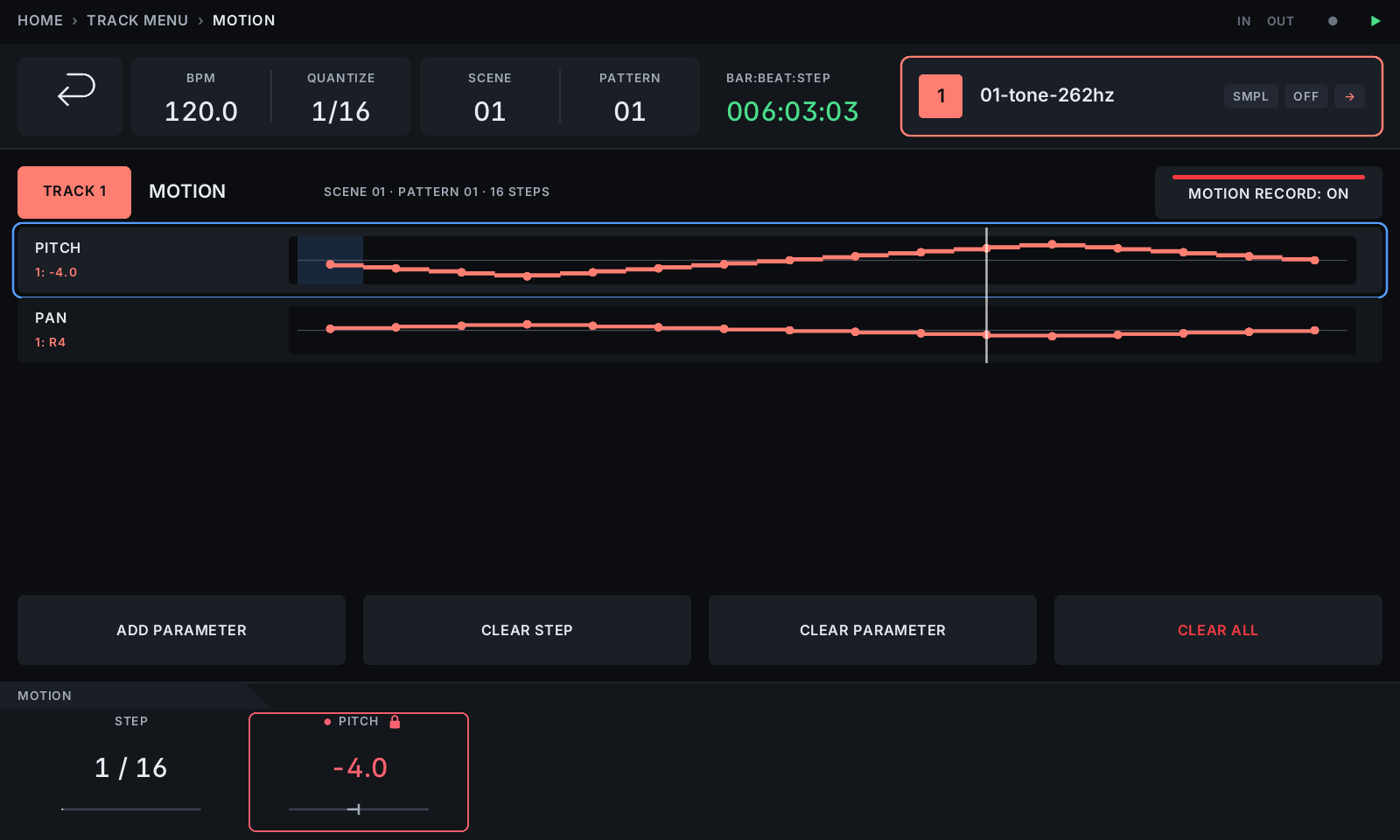
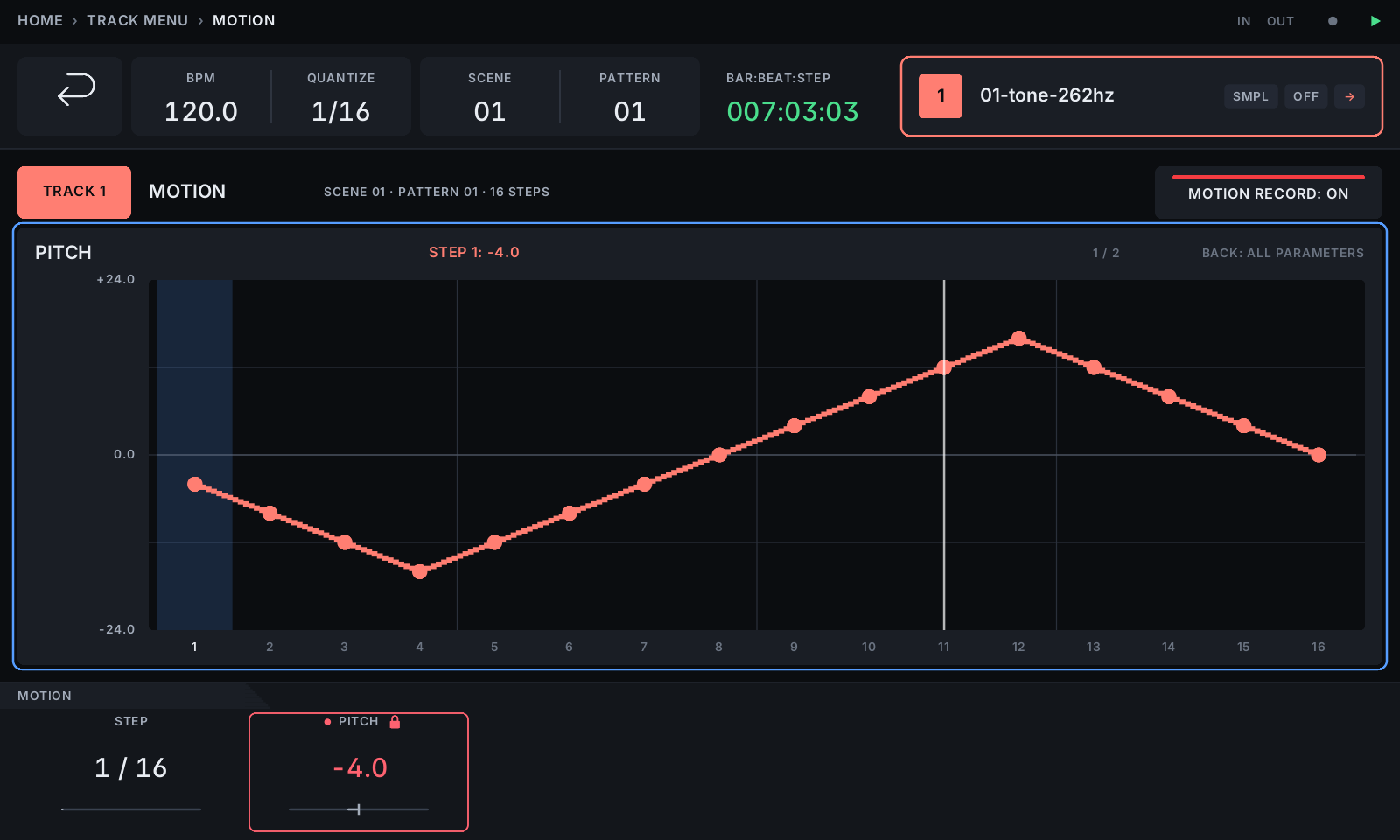
- Advanced motion control: record knob and touch strip moves into the pattern, then view, zoom and redraw them per step.
- Advanced bypass: switch playback, the amp envelope or an effect off and on with one tap, to compare.
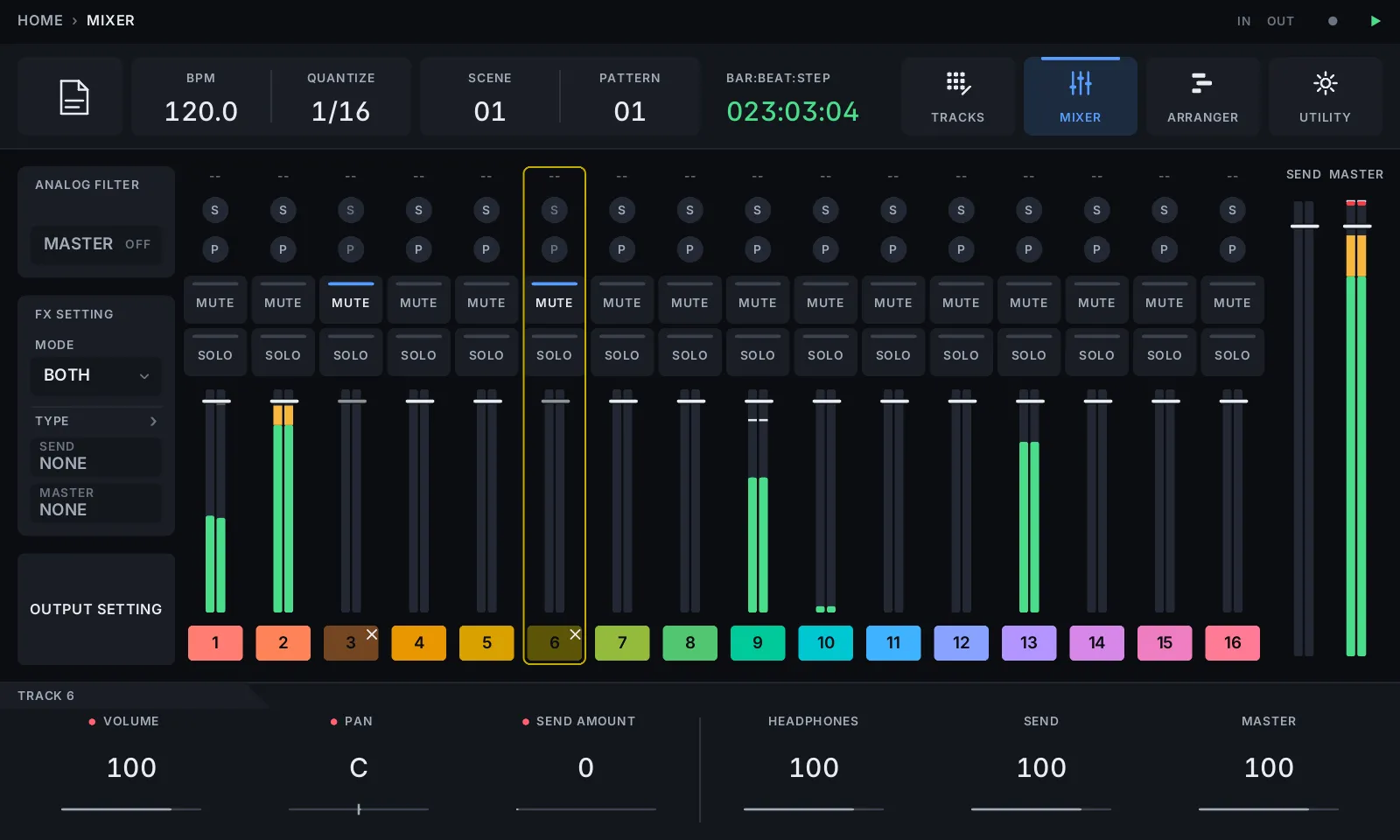
- A better mixer: wider strips with live meters under the faders and a compact send / master pair.
- Solo and smarter mutes: solo from the pads, a mute mode per track (stop the sound or the steps), mutes saved per pattern, and a status badge.
- Plug-in instruments (coming soon): a CLAP plug-in host for software instruments and effects.
- Small things that add up: touch strip REPEAT hits recorded onto the steps, an optional CPU meter, and the POWER button saves your work, unsaved changes included, and reopens it at the next start.
Home: 16 pads at a glance
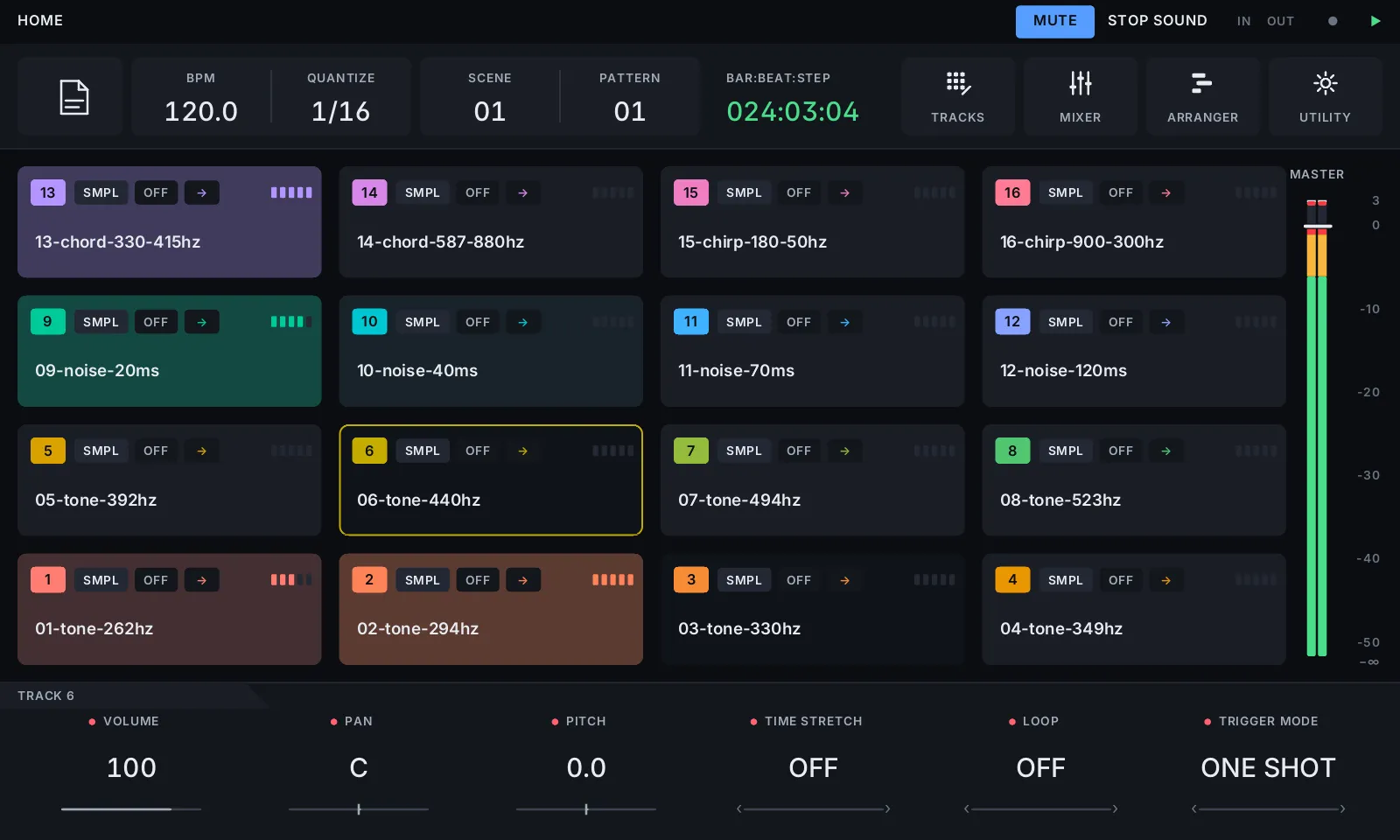
Section titled “Home: 16 pads at a glance”The home screen shows all sixteen tracks as pads, each with its sample, track type and trigger mode. The pad you hit lights up, and the six knobs under the screen edit the selected track’s volume, pan, pitch, time-stretch, loop and trigger mode. Tempo, quantize, scene, pattern and position are always visible at the top.
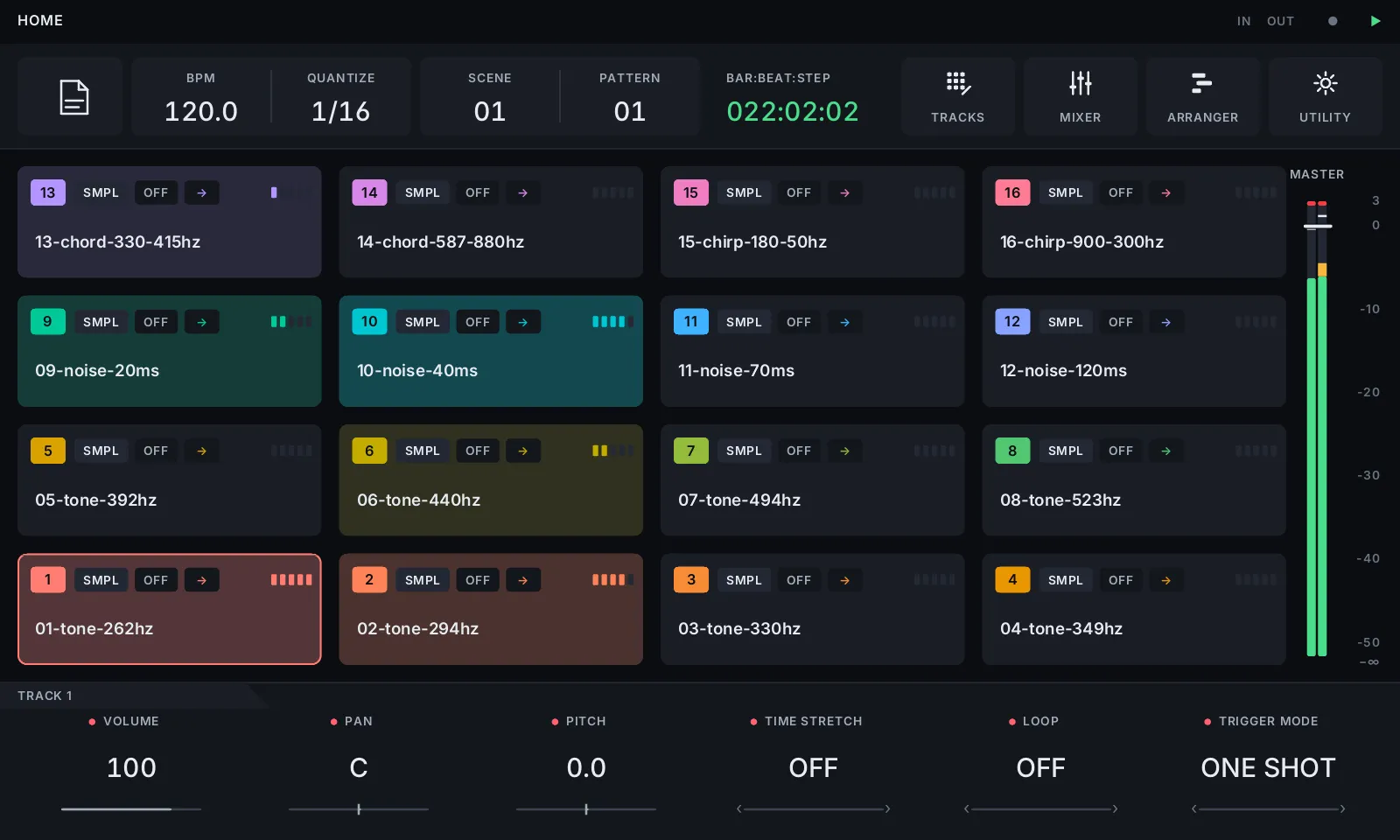
- Track types: Sample, Thru (the audio input through the track’s effects), MIDI and instrument.
- Trigger modes: one-shot or gate (the sample plays only while you hold the pad), with choke groups.
- Pad modes: TRACK, MUTE, SLICE (one slice per pad) and SCALE (play one sample chromatically or in a scale).
Track menu and bypass
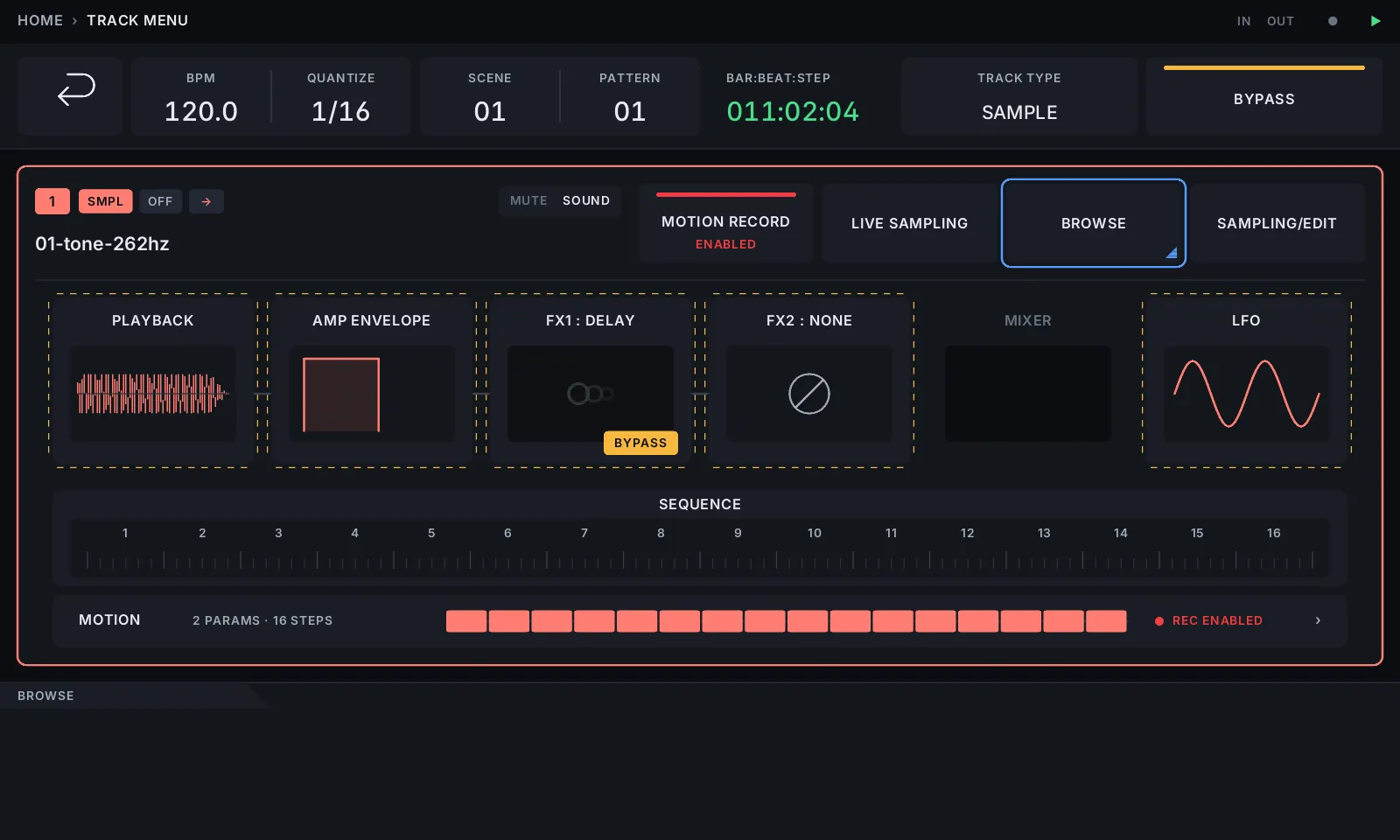
Section titled “Track menu and bypass”Each track is a chain of modules you can open with one touch: playback, amp envelope, two insert effects, mixer and LFO, plus its sequence and its recorded motion.
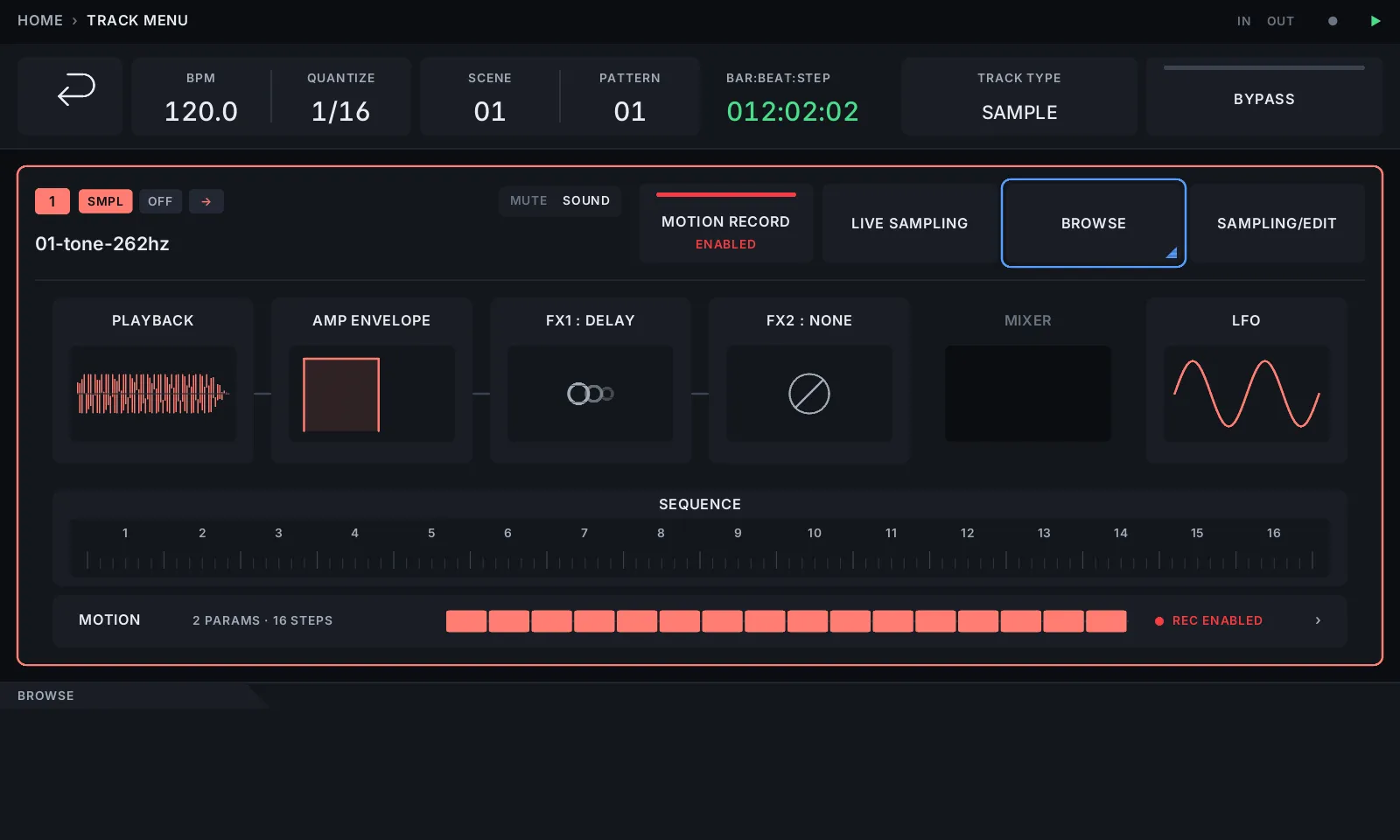
Press BYPASS in the header and the modules you can bypass get a dashed outline: a tap on playback, the amp envelope or an effect now switches it off or back on instead of opening it. Bypassed modules keep their BYPASS mark after you leave, so you always see what is switched off.
Playback and amp envelope
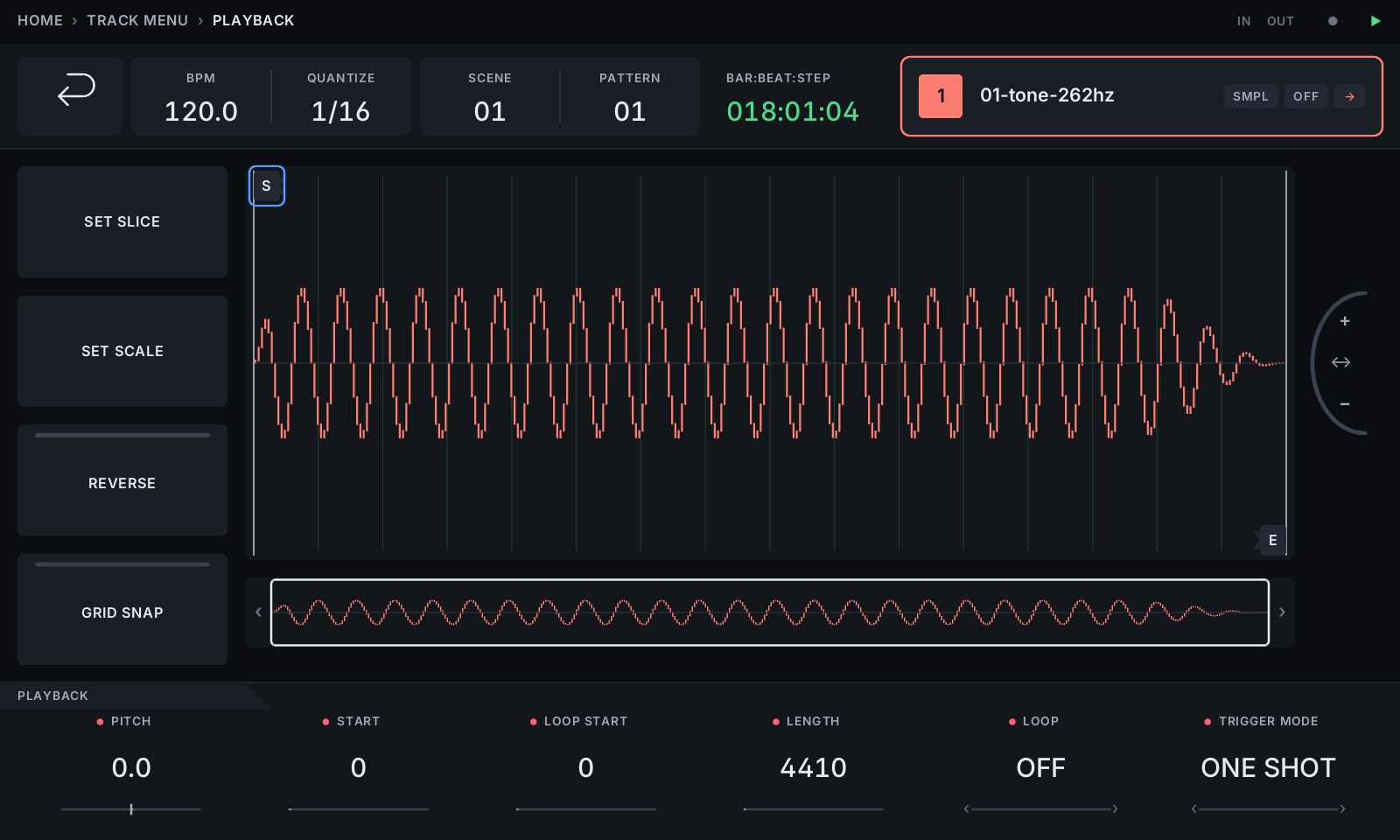
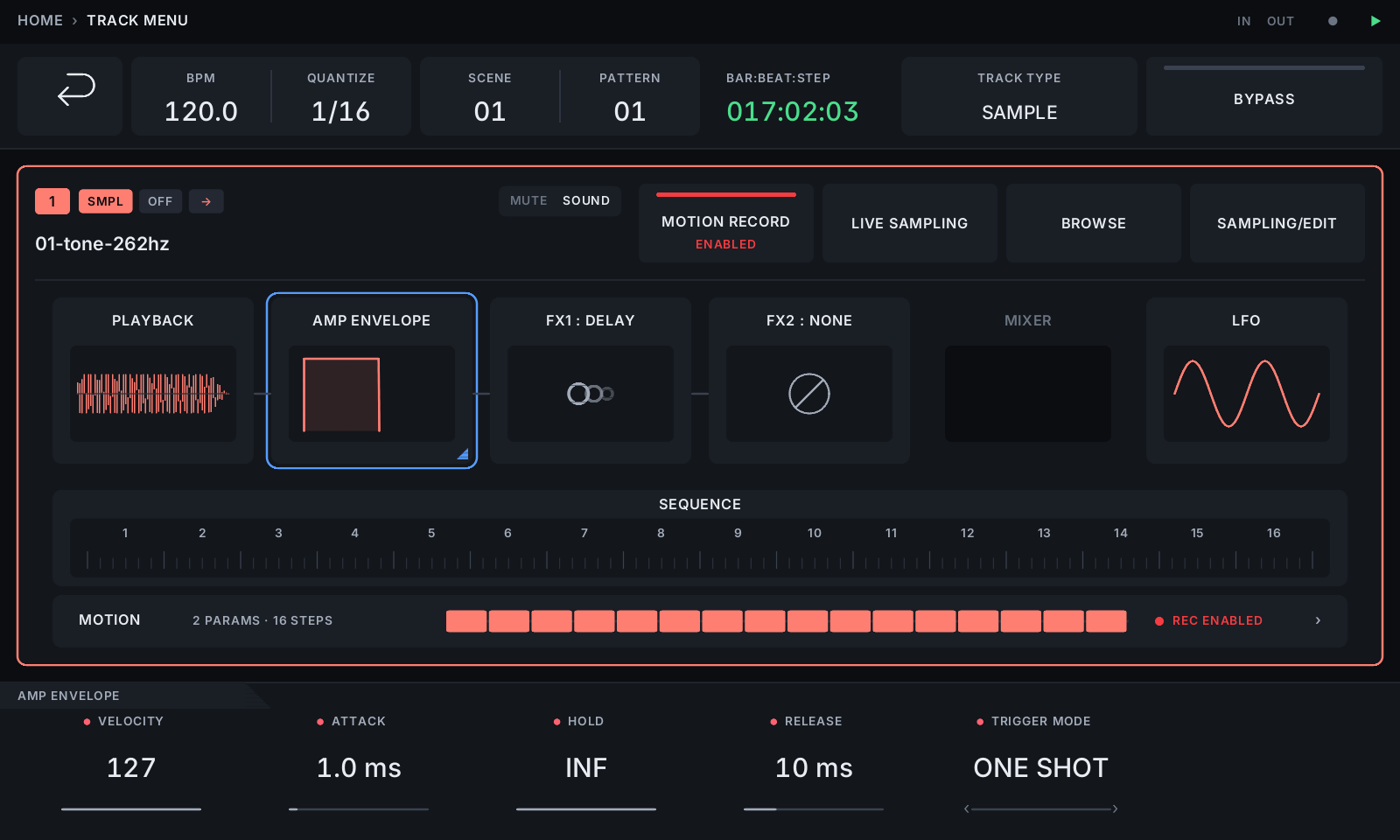
Section titled “Playback and amp envelope”Set the start, loop start and length on the waveform, reverse it, snap to a grid or slice it. The amp envelope shapes each hit with attack, hold and release, velocity sensitivity and tempo sync.
Step sequencer
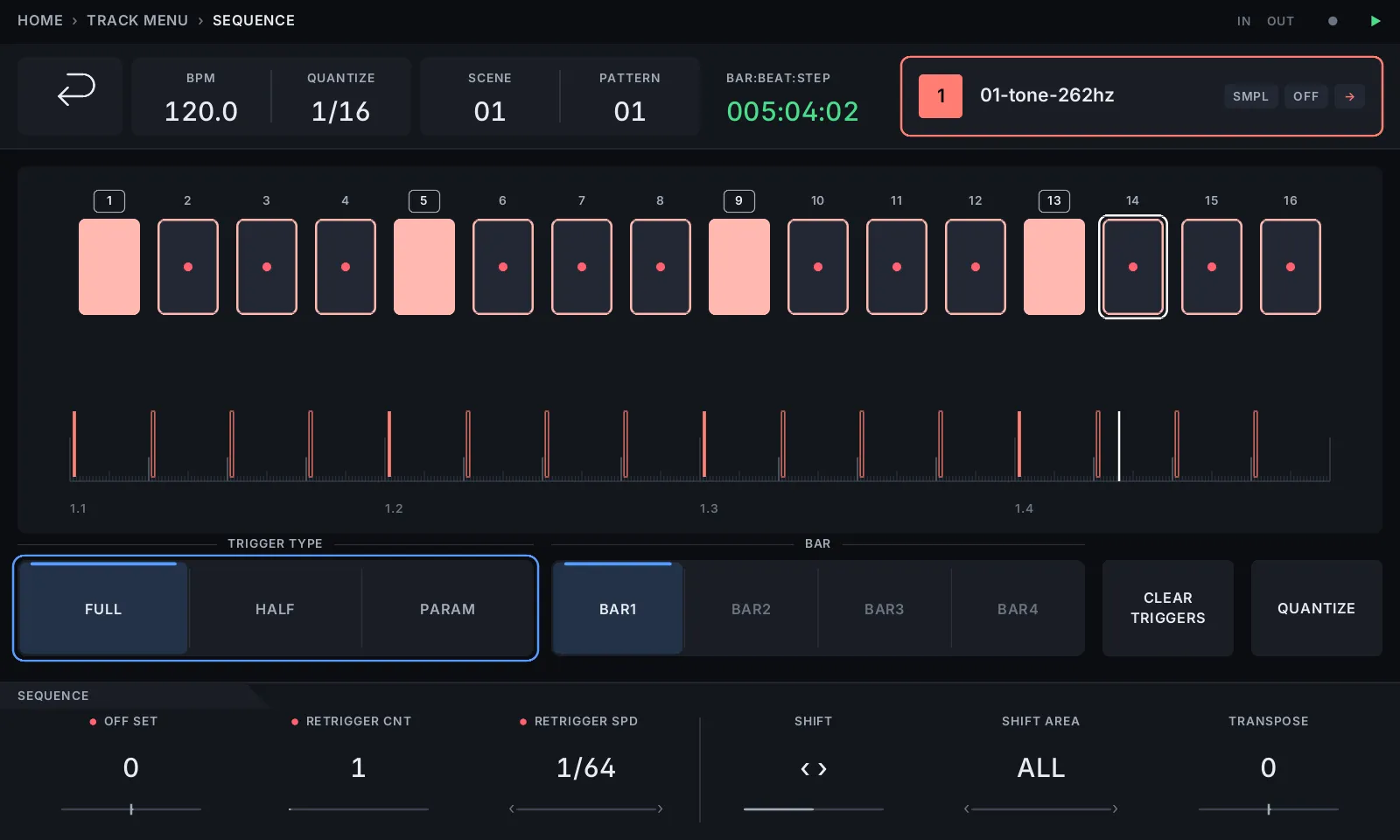
Section titled “Step sequencer”Sixteen steps per bar and up to four bars per pattern. Every step can be a full trigger, a half trigger or a parameter-only step, and it can lock any of the track’s parameters to its own value. Add retriggers (ratchets), micro-offsets, swing, step shift and transpose, or record in real time with quantize, pre-count and metronome.
Motion
Section titled “Motion”Turn on MOTION RECORD for a track, arm REC and play: every knob you turn, and every touch strip move, is written into the pattern step by step. Touch strip REPEAT hits are recorded as notes too. The MOTION page shows one lane per parameter; push the selector on a lane to zoom it to the full screen with its value scale, then draw new values with your finger or edit a step with the selector. ADD PARAMETER lets you draw motion for a parameter you never touched, and every edit can be undone.
Scenes, patterns and the arranger
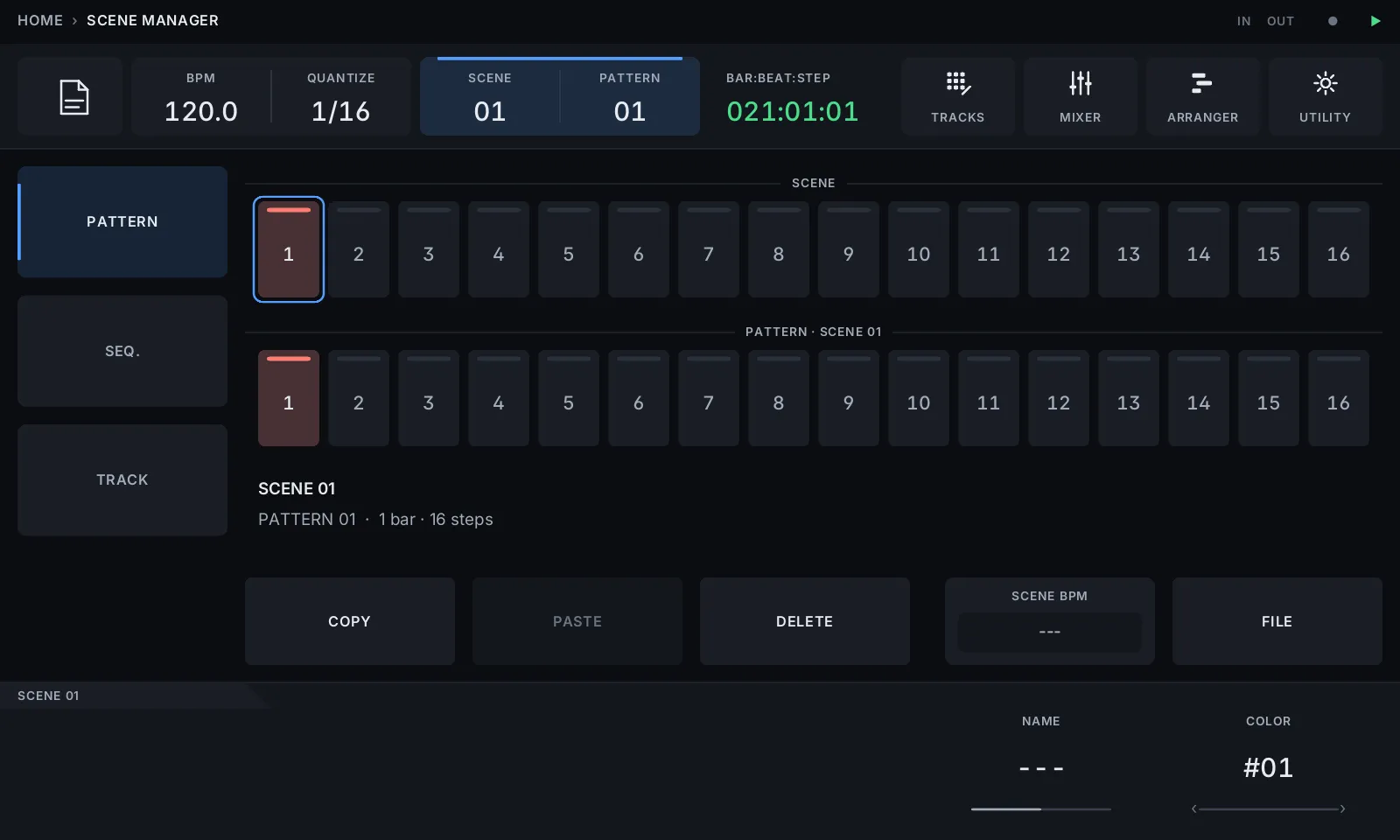
Section titled “Scenes, patterns and the arranger”A project holds 16 scenes of 16 patterns each. Switch patterns and scenes while playing; switches are queued to the end of the pass so you stay in time. Chain patterns, give each scene its own tempo, and copy, paste, swap or reset patterns and tracks. The arranger strings scenes into a song of up to 999 sections.
Mixer and routing
Section titled “Mixer and routing”A full mixer with volume, pan, send, mute and solo for every track, a send return and the master. The strips are wide, each fader sits on its own live meter, and the send / master pair stays compact so the tracks get the room. Route tracks to separate outputs, set up the headphone cue, and insert the analog-filter slot (a digital filter model, or a loop through your own external filter).
Mute and solo
Section titled “Mute and solo”- Solo from the pads: hold MUTE and hit a pad to solo that track; a soloed pad breathes, and silent tracks dim.
- MUTE MODE per track: a mute either stops the track’s sound or stops its steps, chosen in the track menu.
- Mutes per pattern: every pattern remembers its own mutes, so switching pattern brings back its mute set.
- Always visible: while the pads are in MUTE mode, a badge in the status row shows the mute mode; while MUTE is held, a SOLO badge.
Effects
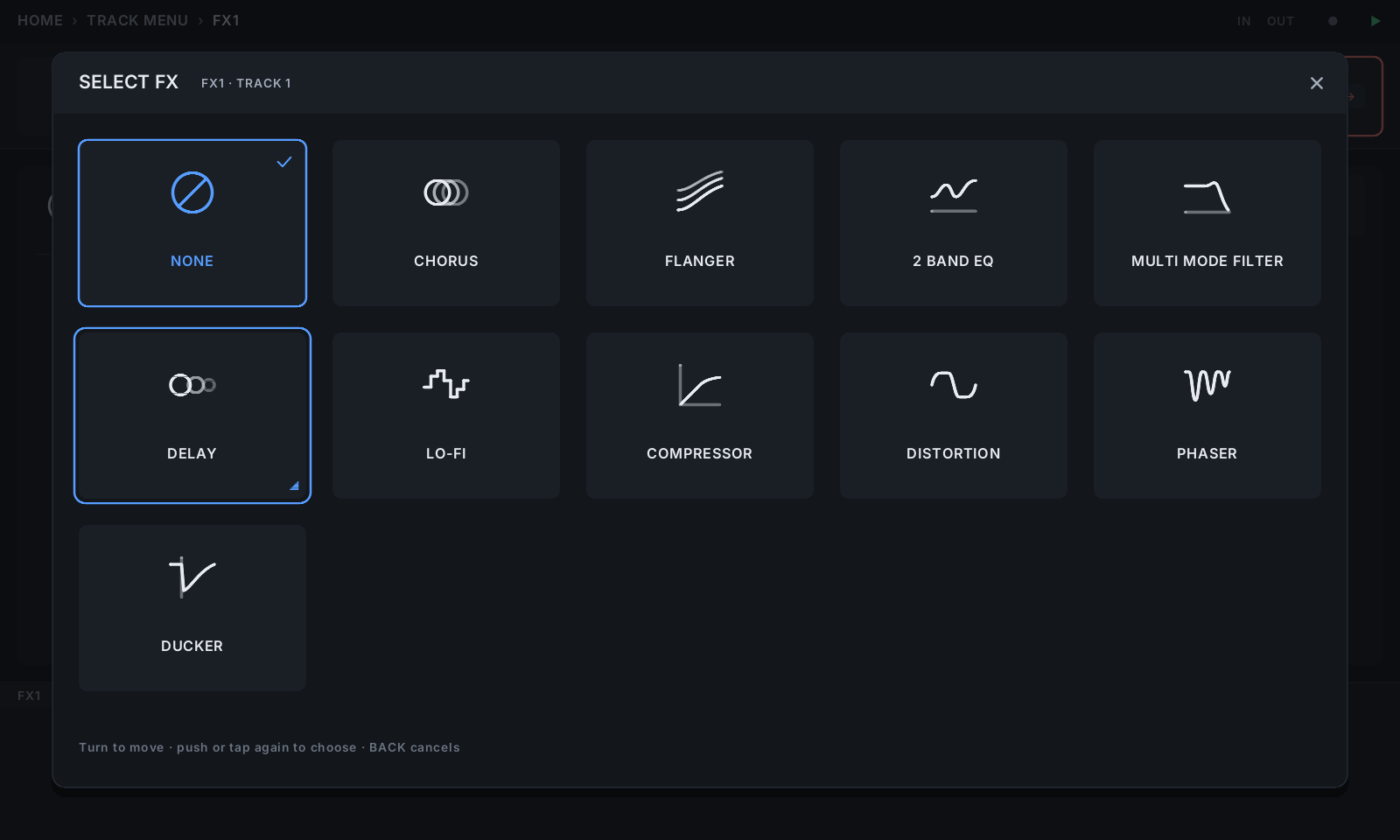
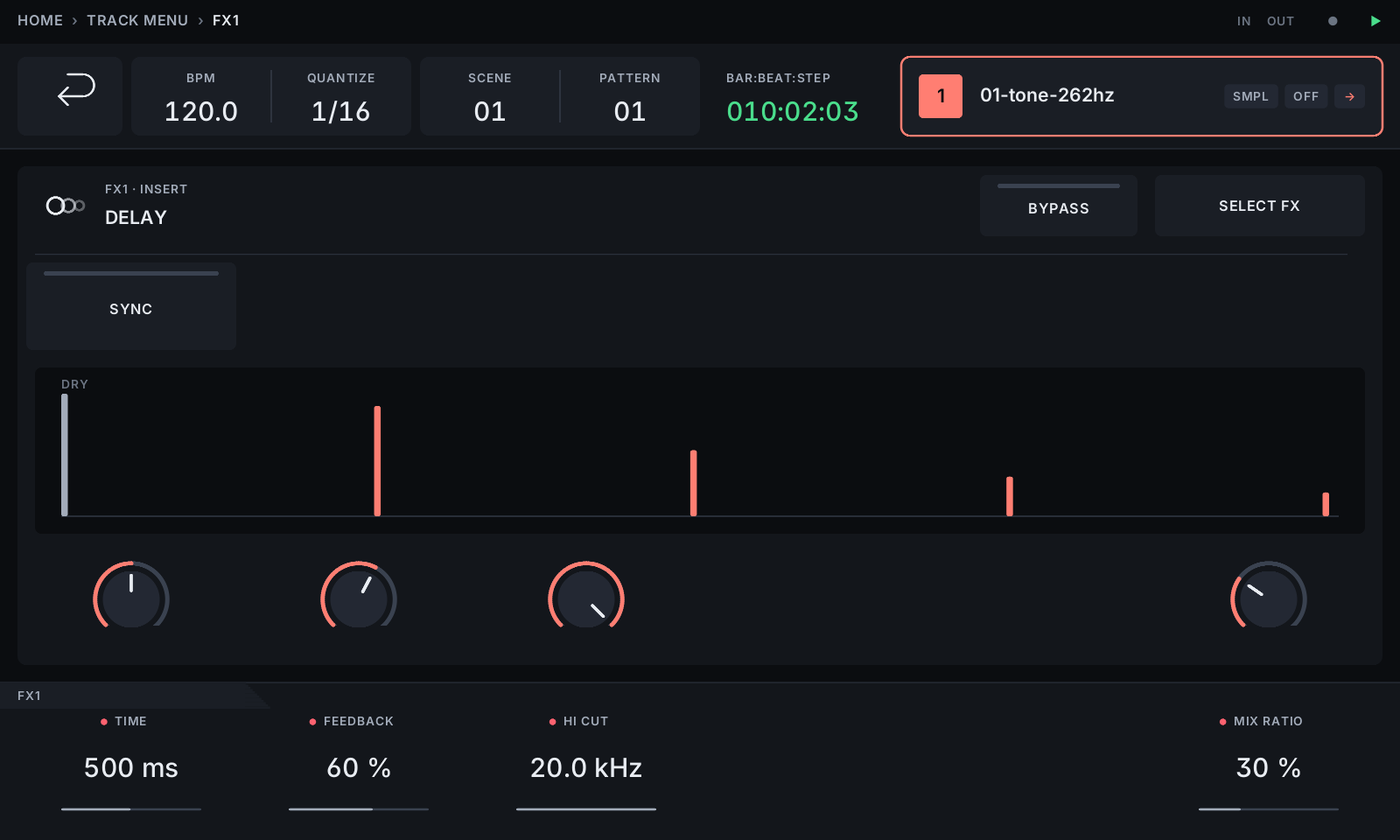
Section titled “Effects”Two insert effects per track plus send and master effects:
| Insert effects | Send effects |
|---|---|
| Chorus, flanger, phaser, 2-band EQ, multi-mode filter, delay, lo-fi, compressor, distortion, ducker | Delay, reverb, and the insert effects as sends |
Every effect parameter can be locked per step and modulated by the LFO.
Plug-in instruments (coming soon)
Section titled “Plug-in instruments (coming soon)”freesp16 is getting a CLAP plug-in host: load software instruments and effects onto a track and play them from the pads and the sequencer, much like VST instruments in a computer studio. CLAP is an open plug-in standard.
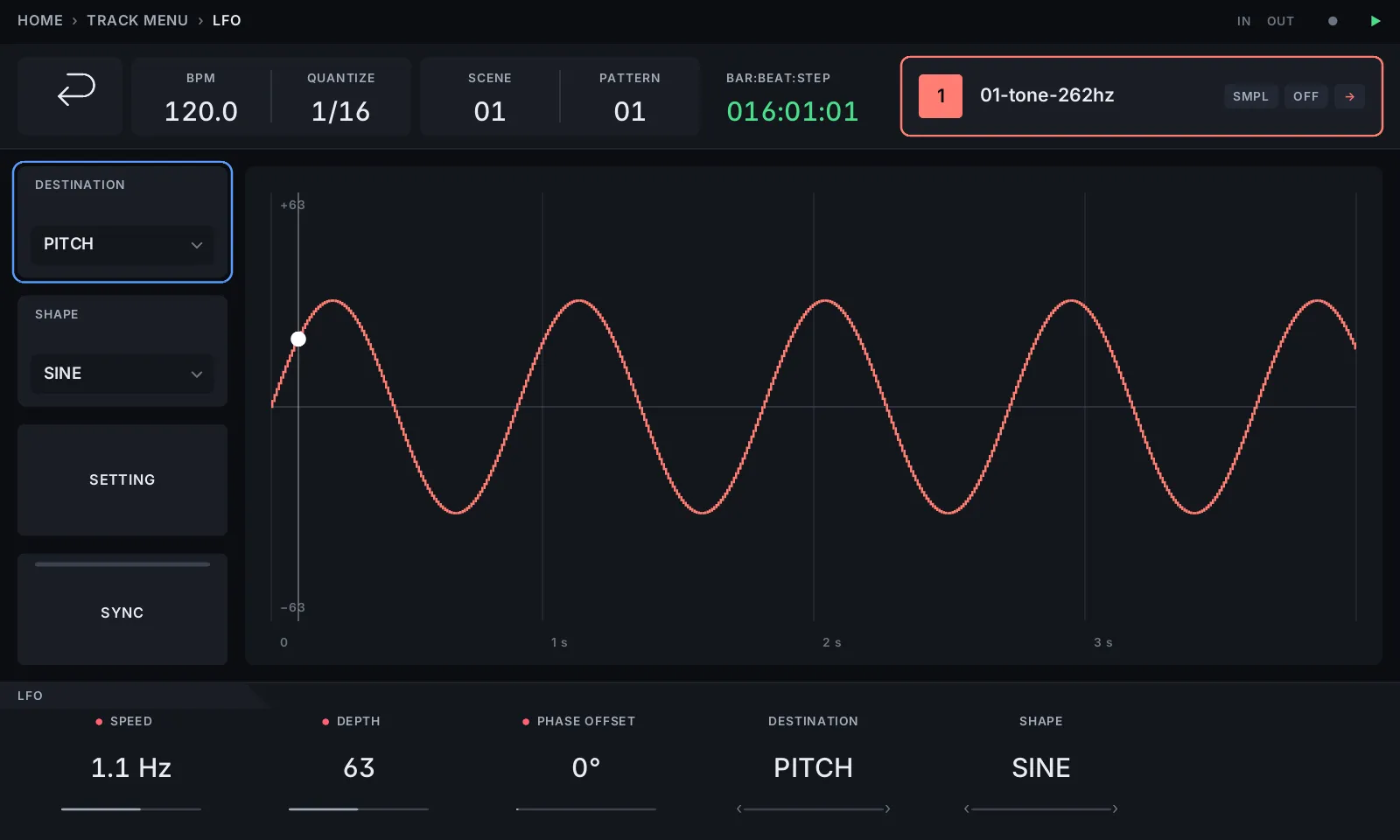
Each track has an LFO with seven shapes, free or tempo-synced, with depth and phase offset, routed to a track parameter or an effect parameter.
Touch strip
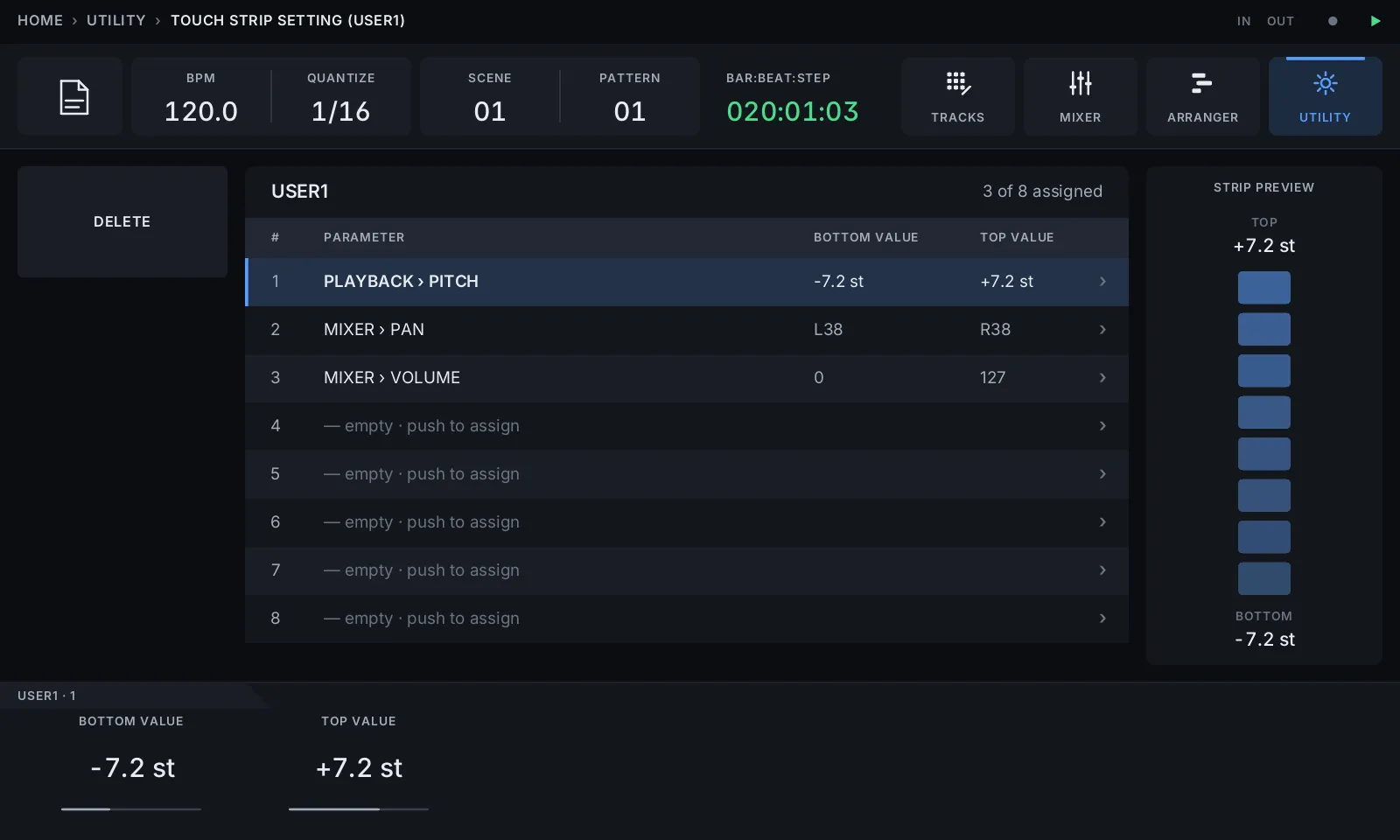
Section titled “Touch strip”The touch strip has four modes: PITCH bends the selected track, REPEAT retriggers it at musical divisions, and USER1 / USER2 sweep up to eight parameters each, each with its own range. HOLD keeps the last position after you lift your finger. With REC armed, REPEAT hits are recorded onto the steps, and on tracks with MOTION RECORD on, strip moves are recorded as motion.
Sampling
Section titled “Sampling”Sample from the line or mic input with a threshold, then trim and edit on the waveform. Live sampling keeps a running buffer, so you can grab the last bars after the fact and loop them in time. You can also resample the instrument’s own output, render patterns to audio and normalize.
Library and projects
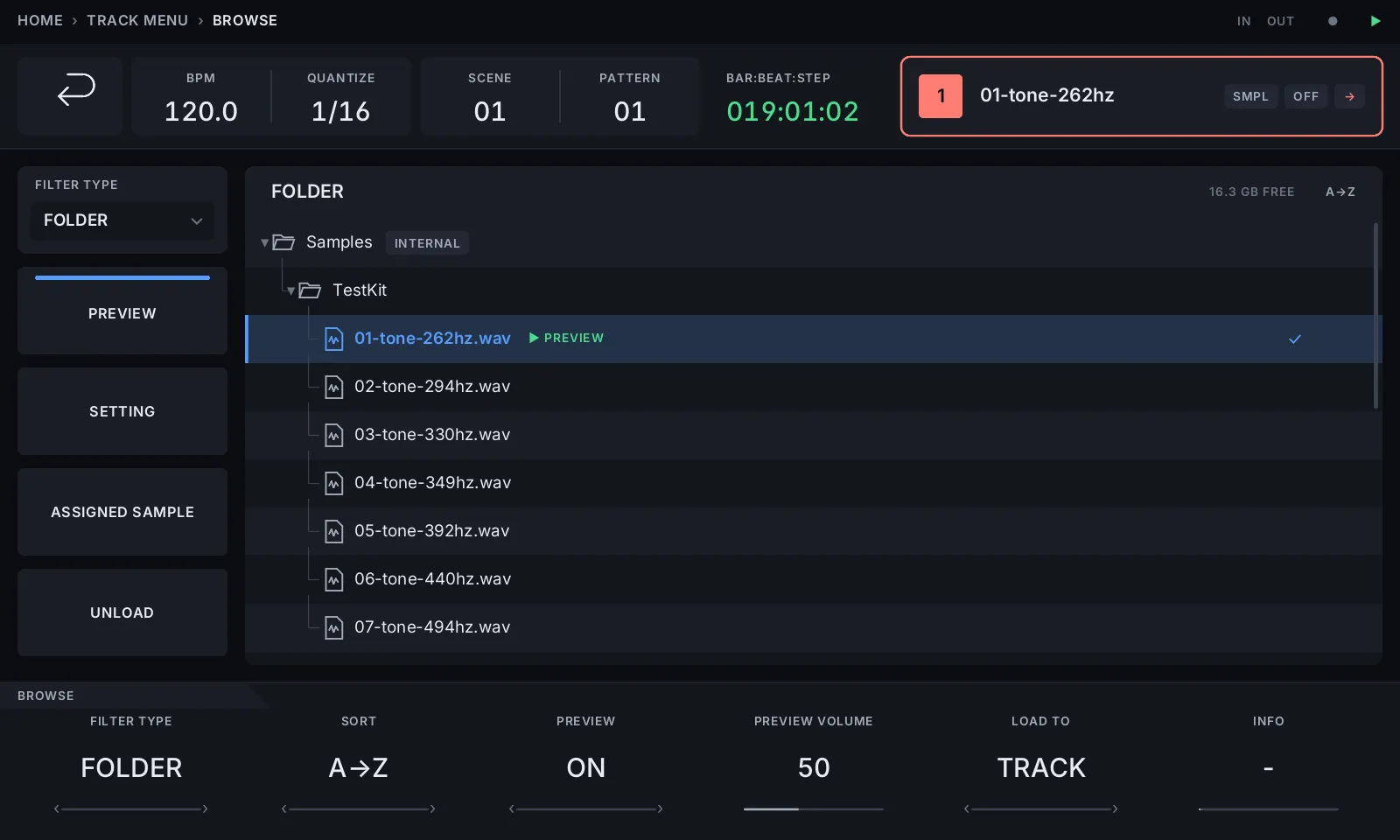
Section titled “Library and projects”Browse samples by folder with preview, and load them onto tracks. Projects save atomically (a power cut never leaves a half-written project), autosave in the background and resume on start.
MIDI and sync
Section titled “MIDI and sync”- MIDI tracks send notes, two CCs and program changes to external gear.
- MIDI clock in and out, and Ableton Link to sync with other apps and devices.
- Play pads and change parameters from a MIDI controller, with controller profiles and MIDI learn.
On the Linux desktop
Section titled “On the Linux desktop”The same app runs natively on Linux in an 800 × 480 window, scalable up to 4×. Your computer keyboard plays the pads and the step keys, the mouse acts as the touch screen, and audio goes through ALSA, PipeWire or PulseAudio. See Install on Linux.
freesp16 is free software: GPL-3.0-or-later (JUCE: AGPLv3). It is an independent project, not affiliated with, endorsed by or sponsored by Pioneer DJ or AlphaTheta. TORAIZ and SP-16 are trademarks of their owners and are used here only to describe the hardware the software runs on.